
For care companies
Watch over every client, between every visit.
MyIntel gives care teams the tools to keep clients safe at home. We set up your company's dashboard, supply the sensors and help buttons, and train your staff. Your team sets up clients and watches over them, and our AI flags when someone's routine changes.
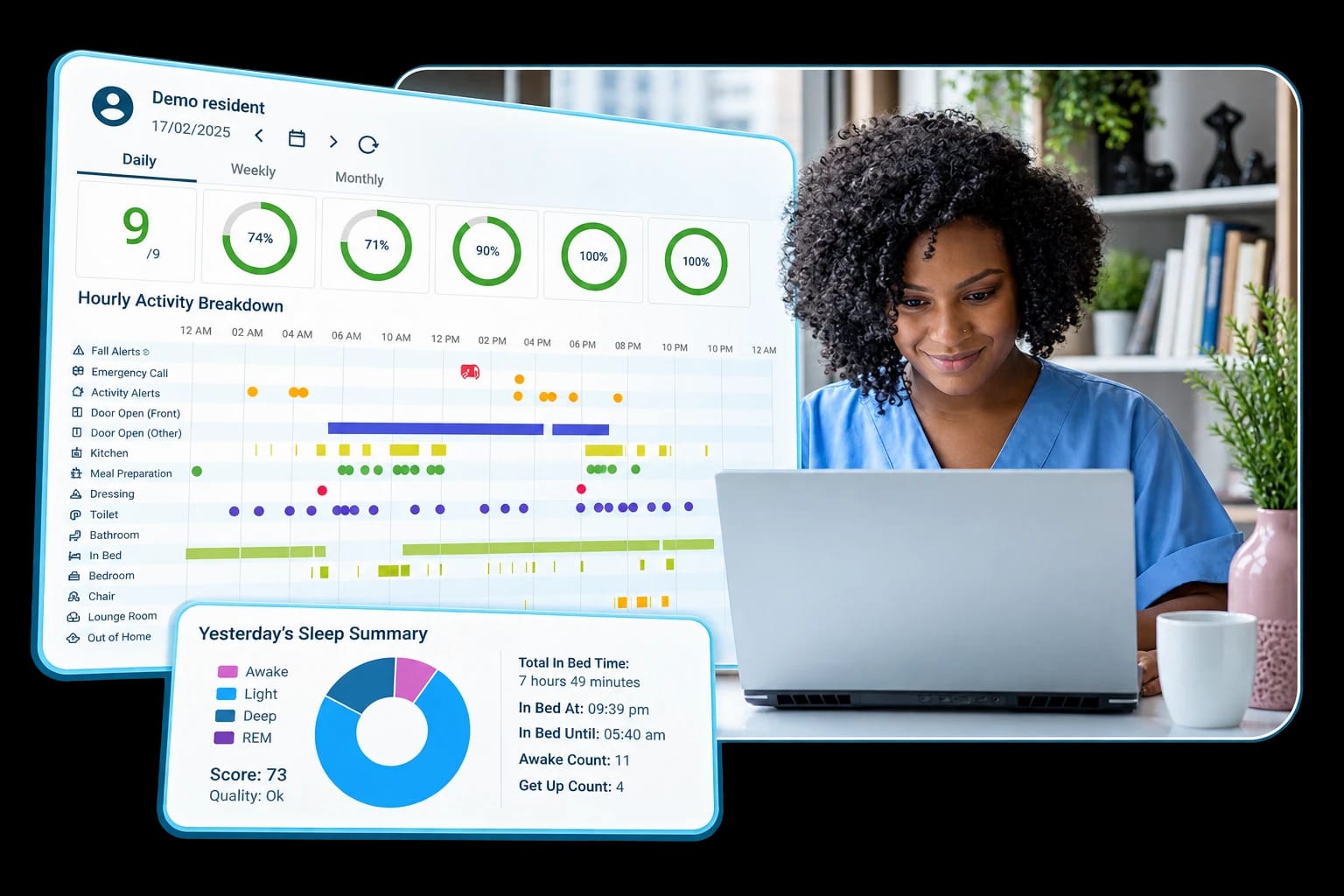
Example screen. What you see depends on the sensors in each home.
How it works for your team
We give you the tools. Your team does what it does best.
- 1
We set up your dashboard
Your company gets its own MyIntel dashboard, with logins for the staff who need them.
- 2
We train your team
We show your staff how to set up the sensors and help button, read the dashboard and act on alerts.
- 3
You set up your clients
Your team puts the equipment in each client's home, on your schedule. We are a call away if you need help.
- 4
Watch over every client
See each client's daily routine in one place. Our AI flags changes, so you know who needs a call today.
More than a help button
It learns each routine. It flags what changed.
Sensors around the home pick up everyday activity. Our AI learns each client’s normal day, then flags changes that can be early signs of a problem.
Flags show up in your team's dashboard, so you know which clients need a call today.
Changes we can flag
- Not up and moving at the usual time
- More bathroom trips at night than normal
- The front door opening late at night
- Restless sleep or more time in bed than usual
What we can see depends on the sensors in the home. Sleep details need the HomeComplete bed sensor.
What you get
Everything your team needs.
Would you rather we handle a client for you? We can also do the setup and a home safety visit by a licensed OT.
- One dashboard for every client
- Daily activity, routine changes and alerts for all of your clients, in one place your whole team can use.
- AI that flags what changed
- The system learns each client's normal routine and points out what is different, so your team spends time where it matters.
- The equipment, ready to go
- Help buttons, room and door sensors, fall sensors and bed sensors, chosen to fit each client's needs.
- Training and support
- We get your team comfortable with setup and the dashboard, and we stay available when questions come up.
- Help button answered 24/7
- When a client presses the help button, a UL-listed professional monitoring center answers, day or night.
Who we work with
Built for the people who care for older adults.
Home care agencies
Know what happens between visits, and give families one more reason to choose you.
Home health and therapy teams
Spot changes in mobility, sleep and routine early, before they turn into a fall or a hospital stay.
Senior living and housing
Watch over residents in their own apartments with no cameras and no rewiring.
Care management
Keep track of many clients from one screen and focus your time on the ones who need it.
Hospital and rehab discharge
Help patients go home safely, with their routine watched in the weeks after a stay.
Aging and caregiver groups
Give the people you serve a simple way to stay safe at home.
Why partners trust us
Credentials you can share with families.
Help answered 24/7
Press the help button and a trained person at a UL-listed response center answers, day or night.
Licensed, insured OTs
Home safety visits are done by licensed, insured occupational therapists with CAPS certification.
No cameras
Sensors notice movement, not faces. Nobody can see into the home.
Insured professionals
Every system is set up by insured, professional installers who show you how it works. We check back after.
Good to know
Clear about what it does.
- Your clients choose who sees their information. Your team records their consent before setup.
- Fall sensors work in the spots they are set up in. They can miss a fall, so the help button still matters.
- MyIntel flags changes in routine. It does not diagnose, or replace care, visits or 911.
Let's talk
Bring MyIntel to your clients.
Tell us about your team and the people you serve. We will walk you through the dashboard and talk about what would fit. Just want to refer one client? We can take care of that too. We usually reply within one business day.